
IFRS 16 lease accounting — from contract to disclosure
Enter the lease terms, and Lease16 builds the schedule, measures the lease liability and right-of-use asset, posts monthly journal entries and prepares the disclosure tables.
Windows 10/11 or Windows Server · Ukrainian and English
Everything IFRS 16 lessee accounting needs
Initial measurement
Present value of payments at the incremental borrowing rate, initial direct costs, incentives, restoration. Indexed and stepped payments.
Schedule and interest
Monthly schedule: payment, interest, principal, liability and ROU balances. XNPV or NPV, 365-day basis.
Modifications and remeasurements
Changes in payment, term or rate, partial or early termination. The schedule is recalculated from the event date.
Journal entries
Dr/Cr for every month: recognition, interest, depreciation, payments, FX differences. List or monthly matrix, Excel export.
Disclosure
Liability and ROU roll-forwards, current and non-current split, maturity analysis, P&L impact, lease cash flows for the cash flow statement. Current and comparative periods.
Your lease portfolio from Excel
Fill in the template — one row per lease — and upload it: each row is checked, parties are added and schedules are calculated straight away. Lessor invoices for variable payments load from Excel too.
A Dr/Cr journal for import
A flat journal with your account codes and analytics — lessor, lease, asset. Imports into your ERP or another accounting system via its Excel import; the column mapping is set up once.
Reconcile with the client’s schedule
Upload the client’s Excel schedule or paste its rows — payments, interest, depreciation and balances are compared month by month, the first difference is shown and the reconciliation exports to Excel.
Period close and audit log
A closed period cannot change retrospectively. The log records who created or changed what and when. Database backups.
How Lease16 works — five short videos
Each under two minutes.
Product tour
Dashboard, contracts register, schedule, events, journal and disclosure. The right-click quick-action menu works in every section.
A new lease in 4 steps
Parties and asset, payments, IBR, review. Once saved, the schedule and entries are already calculated.
Modification and termination
A new payment, rate or term from the event date, early termination, the lease movement card and the events register — deactivating an event can be undone in one click.
Journal and disclosure
Journal entries as a list or a matrix, rolled up by quarter or year. Disclosure lines drill down by lessor and by lease.
Import, export and reconciliation
The lease portfolio from Excel, entries with your account codes for your accounting program or ERP, the client’s schedule reconciled month by month down to the first difference.
Screens
Click a screenshot to enlarge it.
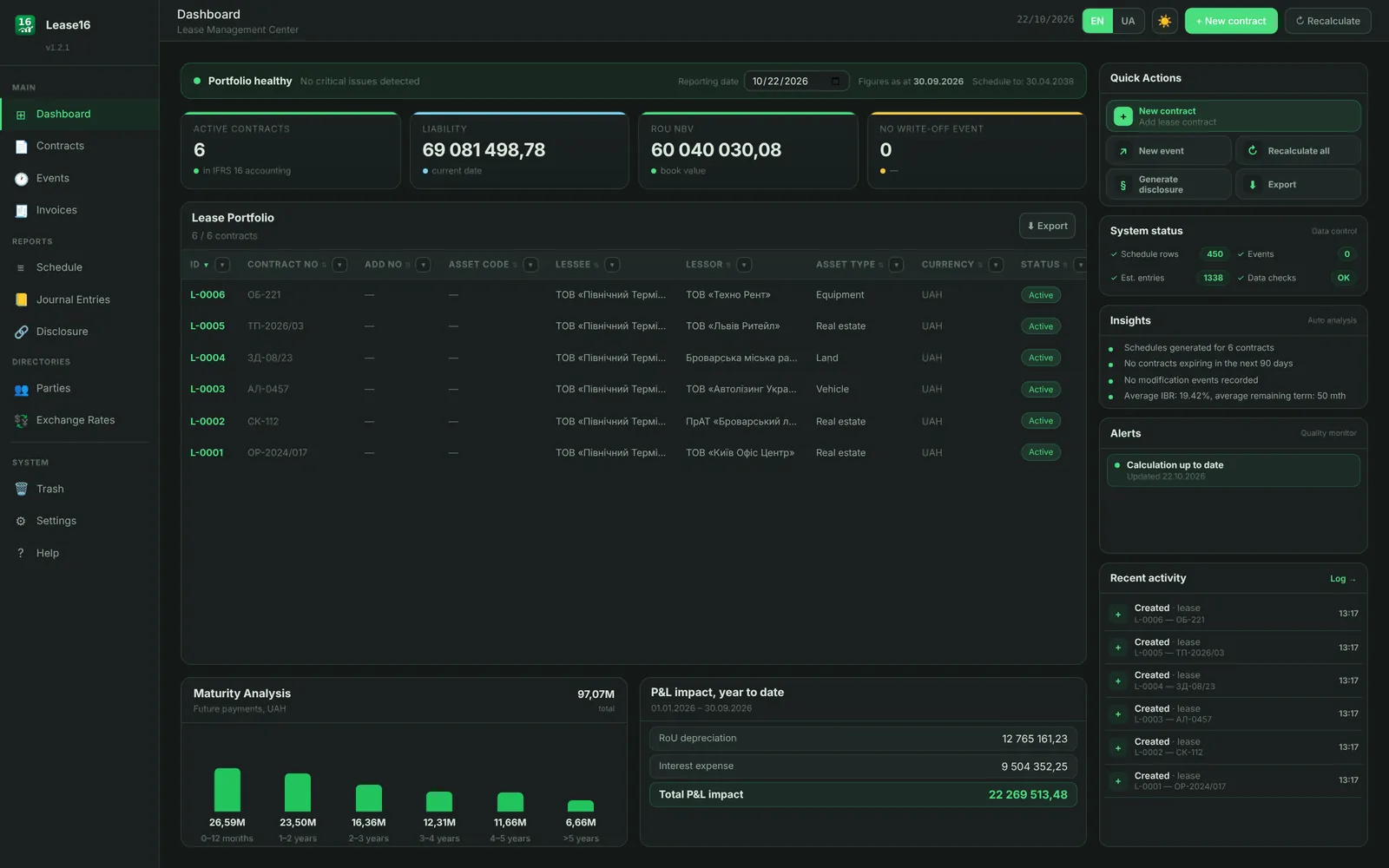
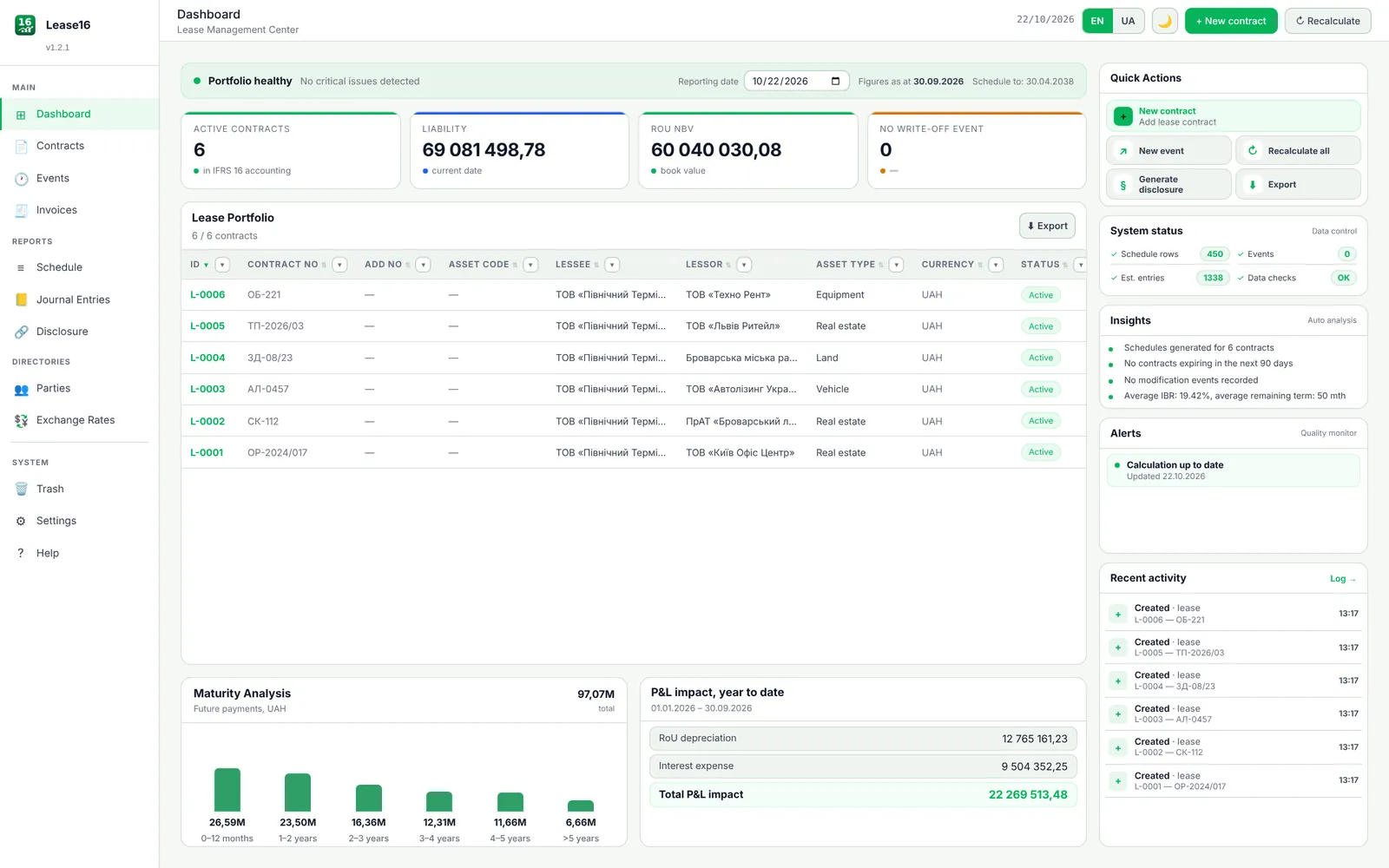
The portfolio at a glance
Liability and ROU at the reporting date, maturity analysis, year-to-date P&L impact and recent user activity.
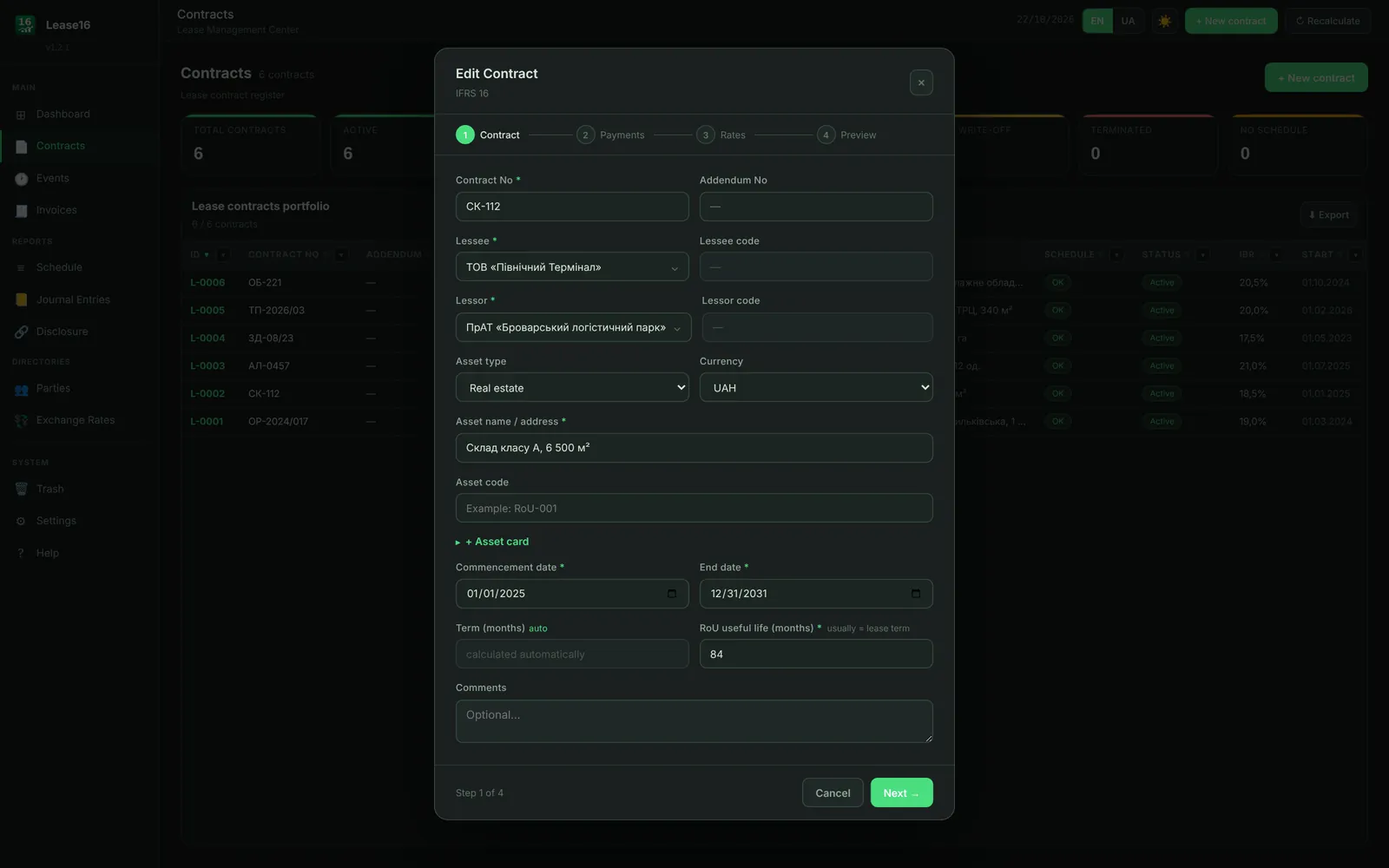
A lease in four steps
Parties and asset, payments, rates, review. Term, first payment date and payment steps are set in the wizard.
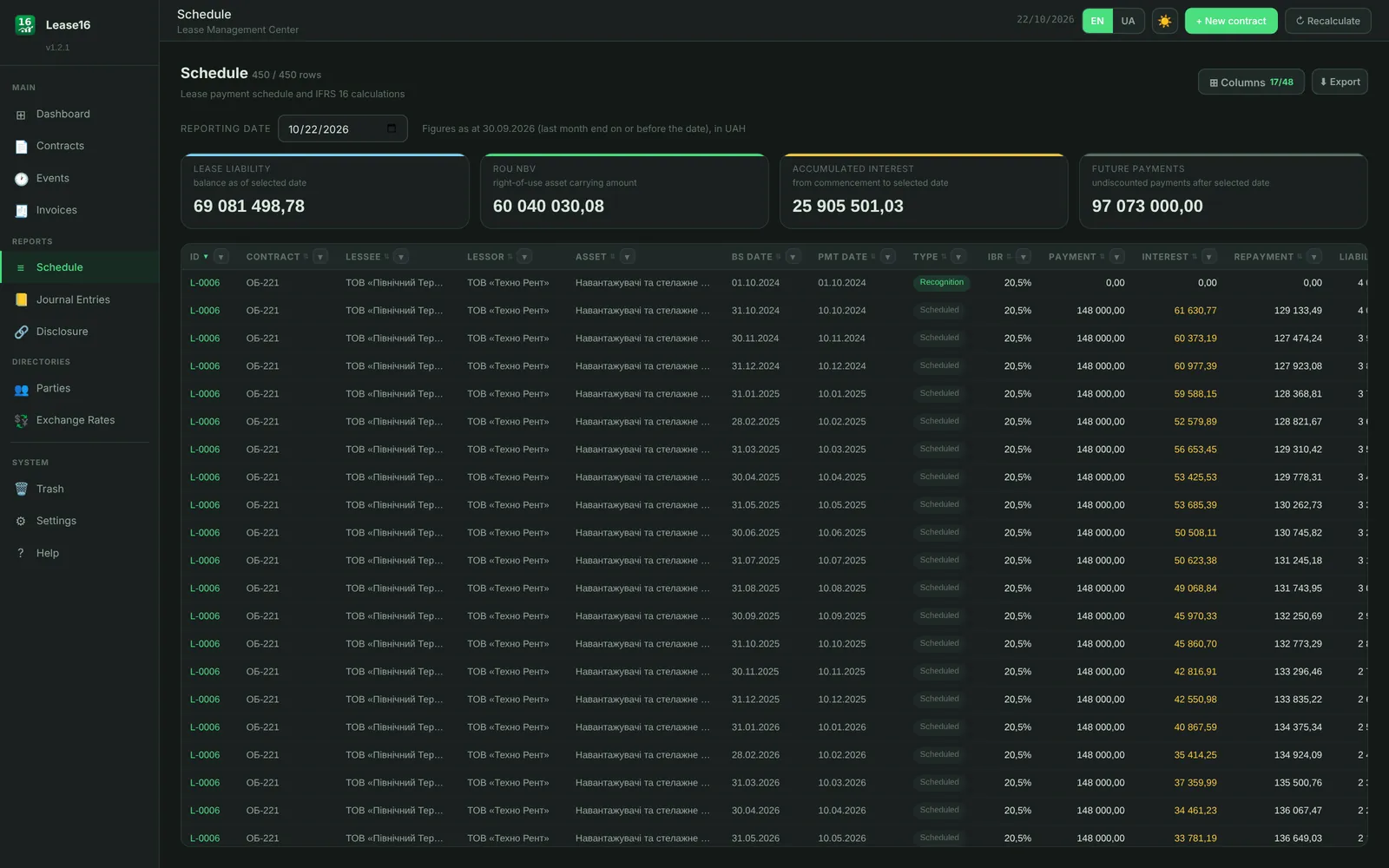
Schedule to every payment
Every row shows payment, interest, principal and balances. Filters, column picker, export.
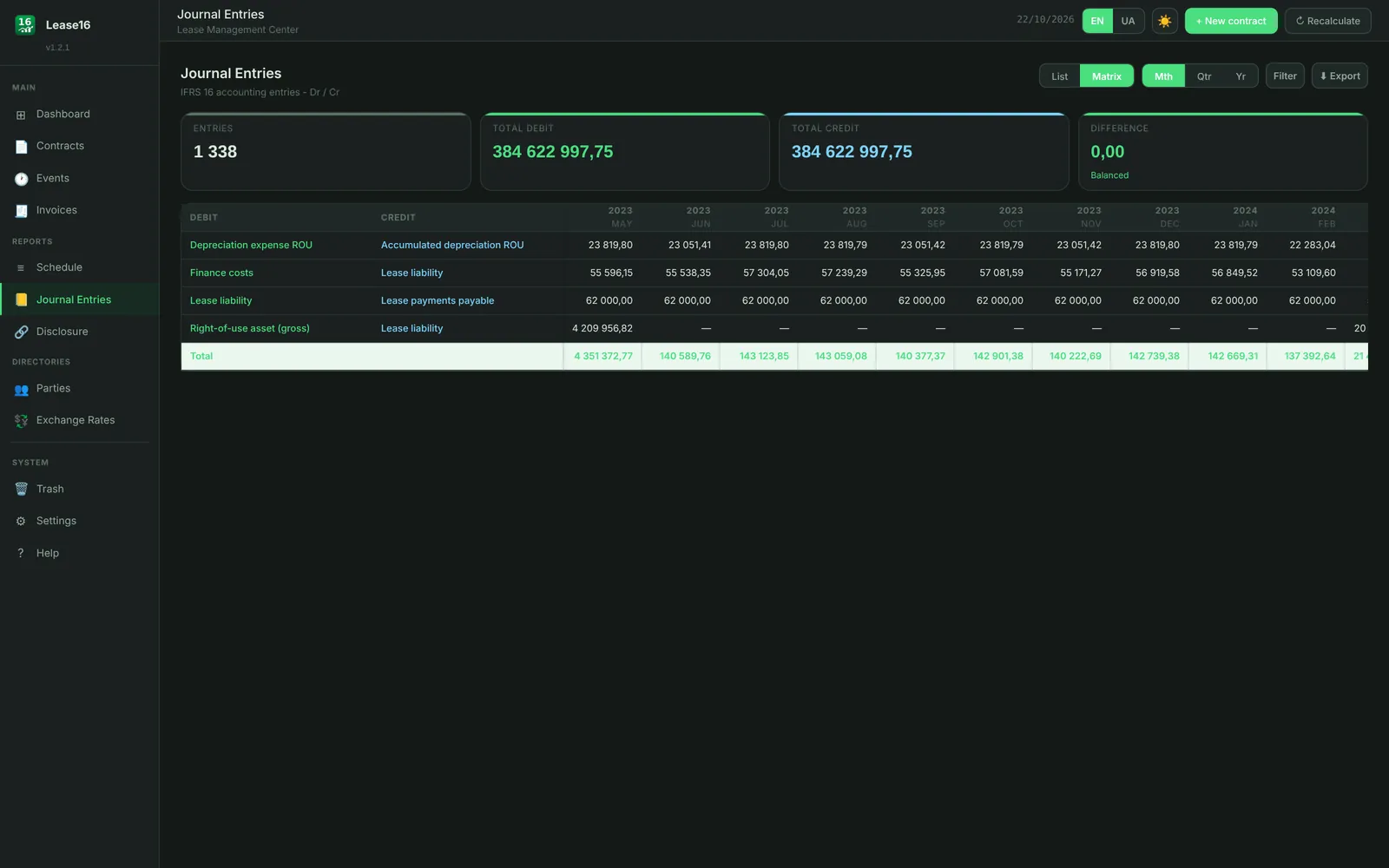
Entries that balance
Monthly matrix: debits equal credits, difference 0.00. Ready for your accounting system.
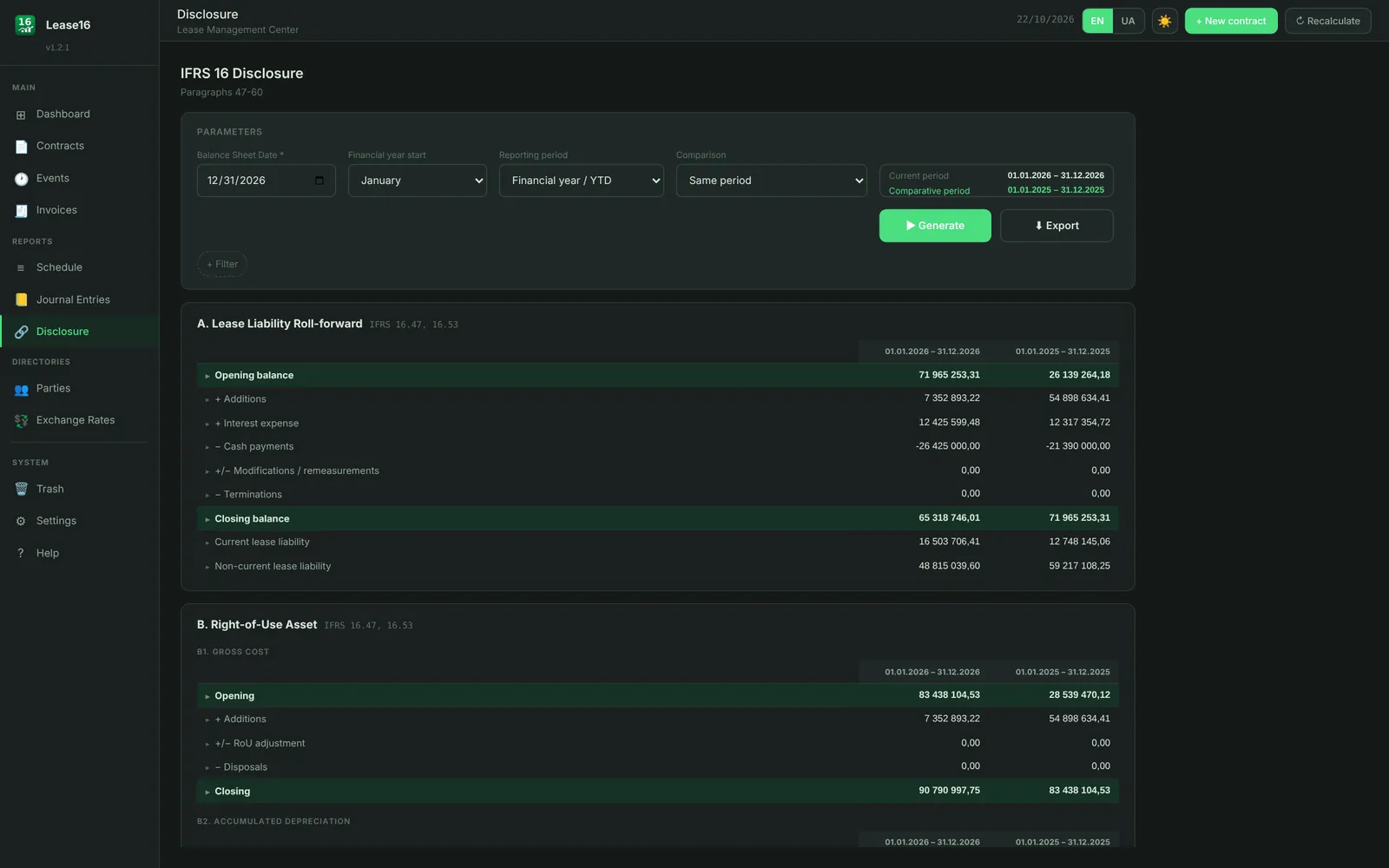
Disclosure for the statements
Liability and right-of-use asset roll-forwards for the current and comparative periods, referenced to IFRS 16 paragraphs.
From contract to financial statements
Enter the lease
Lessor, asset, term, payments and rate. Or import several leases from Excel.
Get the calculation
The program builds the schedule, liability, ROU asset and entries for the whole term.
Record events
A payment change, extension or termination recalculates the schedule from the event date.
Report
Monthly entries and the annual disclosure — on screen and in Excel, in Ukrainian or English.
Runs where your team works
Lease16 installs on Windows and opens in the browser. The interface is the same in every mode.
This computer
One user, database in your Windows profile. For an accountant or auditor working alone.
Terminal server
A Windows service on the server; sign in by RDP and work in the browser there. Nothing is exposed to the network.
Company server for a team
One shared database on the server, up to 10 users with Administration, Accounting or View-only access, optionally limited to selected lessee companies, and an activity log. Access from the office network or VPN over HTTPS.
Your data never leaves your infrastructure. Leases, amounts and counterparties stay on your computer or server. To check the licence, the program sends only the key, a device identifier, the version and the number of leases in the plan limit.
Frequently asked questions
What counts towards the plan limit?
Leases in force on at least one day of the last 12 months: current leases and those that ended or were terminated less than a year ago. A lease frees its place automatically 12 months after it ends or is terminated, so the leases you kept during the year stay within your limit for the annual reporting. The limit applies only to adding leases: events, modifications, schedules, journal entries and disclosure for any period are not limited. Leases in the trash do not count. Lessee companies: one on the Start plan, any number on Practitioner and Business.
Do I need an internet connection?
Only to activate and periodically check the licence. If the program has not reached the licence server for more than 30 days, it switches to view-only mode until it reconnects.
What happens when the subscription ends?
The program switches to view-only mode: all leases, schedules, entries and disclosures can be viewed, printed and exported. Full work resumes after renewal with the same key.
Can I keep the records for my clients?
Yes, on the Practitioner and Business plans — they do not limit the number of lessee companies (Start allows one). The Offer allows using the software to process clients’ data as part of your accounting, audit or advisory services. The software and key cannot be passed to clients.
Which documents will I receive?
An invoice when you order and a License Delivery Certificate after payment (an act of services for Ukrainian customers). They are generated automatically and sent by e-mail.
How do I move to another computer?
Deactivate the licence in the settings on the old computer and activate the same key on the new one. If the old computer is unavailable, write to support@finpractice.pro.
Can we move our leases over from Excel?
Yes. The program has an Excel template: one row per lease; rows are checked and schedules calculated. The schedule reconciliation then shows month by month whether Lease16 agrees with your previous spreadsheet.
Can the entries be loaded into an ERP?
Yes, via import. Lease16 exports a Dr/Cr journal to Excel with your account codes and analytics (lessor, lease, asset); your ERP or another accounting system loads it with its Excel import, and the column mapping is set up once.
Can I try it before buying?
Yes, the demo runs in the browser with no installation or sign-up: one lease of up to 18 months, up to 4 events, no Excel export. Demo data stays in your browser only.
Start with the demo or order a licence
The key and download link arrive by e-mail right after the payment is confirmed.